Apple Watch Update Brings Faster Music Recognition and Sound Alerts
A new beta version of Apple Watch introduces Audio Intelligence, a set of features that includes music recognition and sound alerts, which can be activated through the iPhone's Settings app.
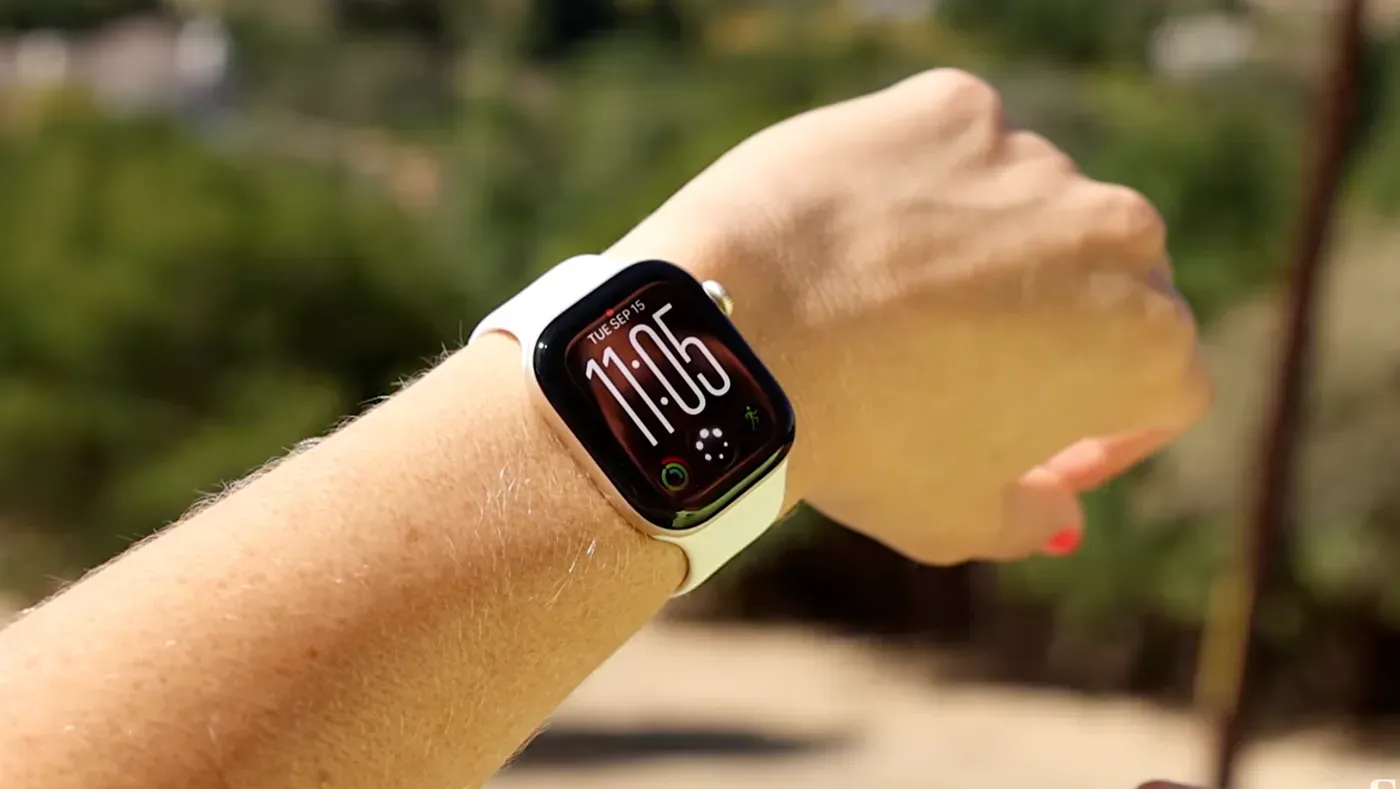
Apple Watch users are in for a change as a new beta version starts rolling out this week, bringing Siri capabilities to the Series 12 and Ultra 4 models. This update introduces Audio Intelligence, a set of features that includes music recognition and sound recognition.
Music recognition has been available on Apple Watch since its launch, but it now works faster and more seamlessly than before. Users can identify songs without even opening the Shazam app, with the feature integrated directly into their watch's interface. Songs are automatically added to the Smart Stack for easy access.
Audio Intelligence also includes a new Sound Recognition feature that alerts users who are deaf or hard of hearing to important sounds in their environment, such as a crying baby, barking dog, or doorbell ringing. This can be particularly helpful for individuals with hearing impairments.
To enable these features on an Apple Watch, users must first activate them on their connected iPhone through the Settings app. Under Accessibility > Sound and Name Recognition, users can toggle the feature on and select which sounds they want it to identify.
The Apple Watch's Siri feature has been successfully identifying various sounds in my testing, including a fake cough, doorbell and car horn. However, I encountered some inconsistencies where it incorrectly identified non-existent sounds such as barking dogs or honking cars, making me question its accuracy.
Further testing is needed to fully assess the capabilities of this new feature, which may be affected by the beta versions I'm currently using. The feature's performance could vary depending on the specific software and hardware configurations.
The Siri Rewind feature allows users to double-click the Digital Crown at any point during the day to access a text snippet of what was said in the previous 15 seconds. This feature is similar to Live Photos, which captures a few seconds of video before and after taking a photo.
When accessing the transcribed text, it disappears if no action is taken after viewing it on screen. Users can either ask Siri about it or save it to the Siri app for later review on their phone. The old audio is continuously replaced by new audio and then deleted, so if the feature isn't triggered, the last 15 seconds of conversation will be lost.
The new Apple Watch feature, Siri Recap, is designed to summarize conversations in real-time, allowing users to revisit key points without having to ask the speaker to repeat themselves. This could be particularly useful during situations like reviewing a restaurant menu after the waiter has left the table.
Siri Recap can run in the background and generate high-level summaries of conversations throughout the day, covering a range of topics from work meetings to spontaneous discussions with colleagues or family members. The feature is not intended for recording entire conversations, but rather as a tool to quickly recall key points without having to ask others to repeat themselves.
Users can access the notes generated by Siri Recap through the Siri app and export them to either the Notes or Journal app. If left unattended, these notes will automatically delete after seven days, although users have the option to manually delete them at any time. This feature is part of a suite of tools aimed at improving user convenience.
Both Siri Recap and its companion feature, Siri Rewind, are opt-in features that require explicit setup during initial configuration for them to function properly.
When Siri Recap is activated on your Apple Watch, you can choose how it functions in terms of timing. You have the option to leave it running continuously, allowing Siri to automatically identify and summarize important conversations. Alternatively, you can schedule it to run during specific periods, such as when you're attending important meetings. Additionally, you can activate it manually through a new icon located within the Control Center.
If you opt for continuous operation, Siri Recap will periodically remind you to check your summaries throughout the day. Notifications will also be triggered when scheduled events begin or end, keeping you informed about its status. Furthermore, if you forget to turn off the feature, you'll receive a reminder in the morning to disable it. This ensures that you remain aware of what's happening with your Siri Recap.
It's worth noting that both Siri Recap and its companion feature, Siri Rewind, are designed to work within specific limitations. For instance, they won't function during conference calls or FaceTime sessions if you're using AirPods or headphones connected to the Apple Watch. Instead, they'll only capture audio picked up through the watch's speaker.
Apple has also addressed concerns about battery drain associated with these features. According to the company, running all four features continuously will not significantly impact your Apple Watch's battery life. In fact, the Apple Watch Series 12 can last for a day and a half on a single charge, while the Ultra model can run for up to three days without needing a recharge.
The Apple Watch's new S11 chip is a significant improvement in terms of power efficiency and processing capabilities. This dual-architecture design allows for background tasks to be handled without draining the main processor's resources.
The watch itself does not store audio recordings; instead, raw audio is processed within a secure compartment on the S11 chip called the Secure Exclave. Apple emphasizes that even it cannot access this isolated area, which adds an extra layer of protection.
Siri Recap also takes steps to protect user data by condensing conversation transcripts before sending them to Private Cloud Compute. This condensed version excludes sensitive information such as financial data, authentication details, personal identifiers, and language related to self-harm or government secrets.
Apple's approach to security and accessibility is centered around protecting users' privacy. The company presents a convincing case for its measures, which are designed to safeguard sensitive information while still providing useful features like Siri Recap.
The ability of the Apple Watch to listen in on conversations raises concerns about privacy, particularly when others may not be aware that their discussions are being recorded. Unlike some smart glasses, there is no visible indicator on the watch when Siri is actively recording a conversation.
Apple's latest addition to its Apple Watch is a feature that allows users to access Siri directly from their watch. This development has raised concerns about user privacy, as some critics argue that this integration could lead to uninvited listening and recording of conversations.
The new feature will be available in English initially, with other languages to follow later. It will roll out in beta form with the update to iOS 27.3, giving users a chance to experience it firsthand before it becomes a standard feature.
Facts based on reporting originally published by CNET.
You may republish this story, in full or in part, if you credit News Central Site and link to it (licence CC BY 4.0). Photos are not included.