CR2032 Batteries: Common Cause of Device Malfunction
When a device malfunctions, it's essential to determine whether the issue lies with the CR2032 battery or corrosion on the device's contacts.
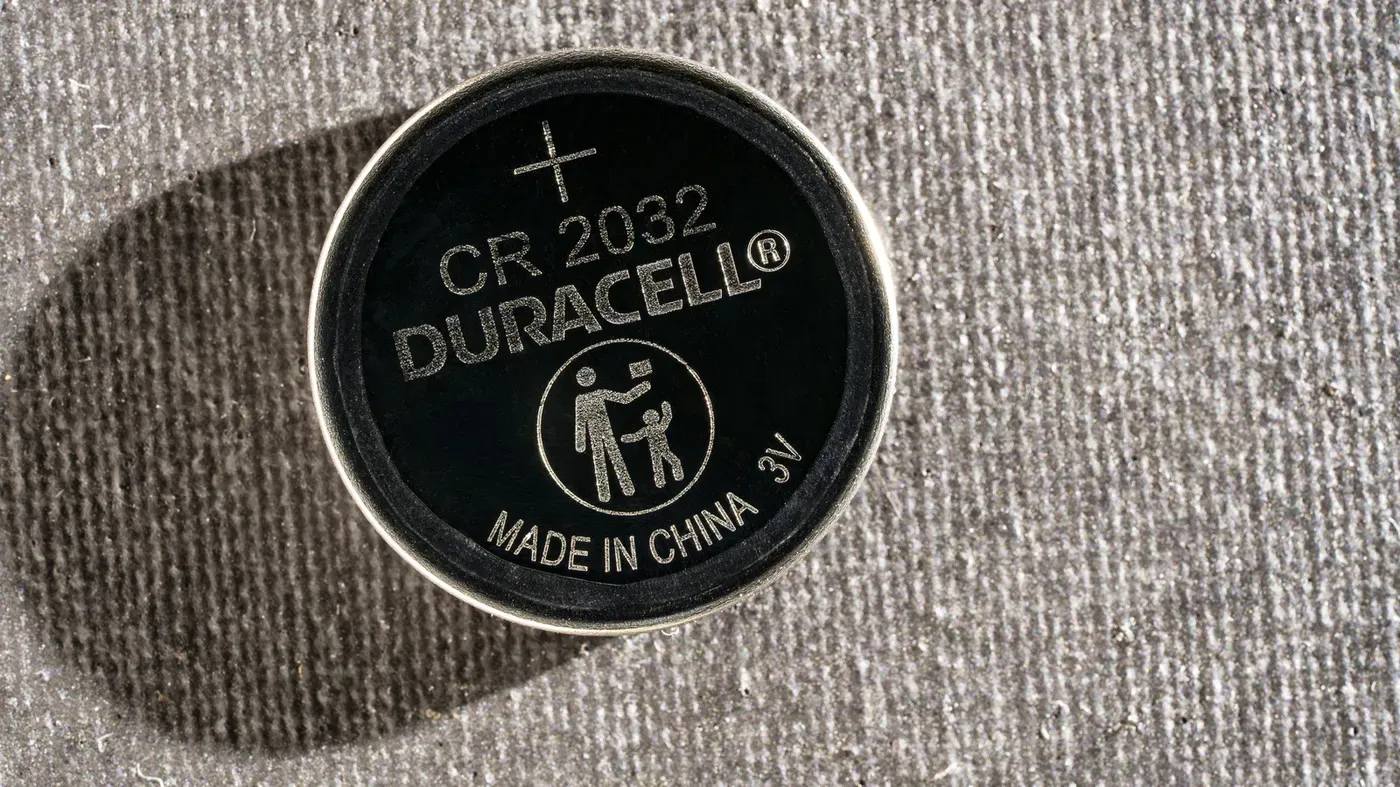
A dead battery can be frustrating, especially when it's not immediately apparent that it's the culprit behind malfunctioning devices. In many cases, the CR2032 is a common type of lithium coin cell used in various gadgets and electronic devices.
One such device is the car key fob, which relies on these small batteries to function properly. Similarly, items like AirTags and some smart home sensors also utilize CR2032 batteries. It's not uncommon for one of these batteries to last well over a year, depending on how frequently it's used in its respective device.
However, when a battery does eventually run out, it can be difficult to determine whether the issue lies with the battery itself or with corrosion on the device's contacts. This is where a multimeter comes into play - a handy tool that can help diagnose any voltage issues.
Before using a multimeter, though, it's essential to visually inspect the CR2032 battery for any signs of damage. Check for crusty residue, rust-colored patches, swelling, or leakage on the battery itself. If you notice any of these warning signs, it's best to replace the battery immediately.
To prepare your multimeter for testing, set it to DC voltage mode by selecting the "V function with a solid line over a dashed line. Plug the black lead into the COM port and the red lead into either the V or VΩ port - ensure that the meter has automatically selected a suitable range if possible, typically above 3V at around 20V.
When testing a CR2032 battery, it's essential to ensure that the probes are correctly positioned on the battery. Hold the battery by its edges over a nonconductive surface and touch the red probe to the broad face marked with a plus sign (+) while placing the black probe at the center of the smaller negative face underneath.
To avoid any potential errors, keep the probe tips from touching each other or bridging the battery's terminals. A simple mistake in probe placement can result in an incorrect reading, so it's crucial to get this step right.
A fresh CR2032 typically registers around 3V on a multimeter, but a reading closer to 2.5V is often a good indication that the battery needs to be replaced. However, relying solely on a 3V reading might not give an accurate picture of the battery's overall health.
This is because a multimeter draws almost no current when testing a battery, which means it may appear fine on the display but struggle when actually powering a device. As a result, there is no single pass-or-fail reading that applies to every device.
If you're experiencing issues with your device and suspect a faulty CR2032 battery, a dedicated coin-cell tester can be a worthwhile investment. These devices are available for around $10 and offer more accurate results than a multimeter, but not all models measure voltage under load.
When it comes to troubleshooting low-voltage electronics, a basic multimeter is another viable option that costs less than $20. However, buying one solely to diagnose a single suspect battery may not be the most cost-effective solution.
Before proceeding with testing a CR2032 battery, users should first check their AirTag's status through the Find My app. This involves selecting Items and tapping on the specific AirTag in question; if it indicates a low battery or displays a depleted icon, there is no need for further testing.
Some batteries may have bitterant coatings that can prevent proper contact even when they are brand new. In such cases, simply replacing the CR2032 with one from packaging marked Compatible with Apple AirTag" should resolve the issue. It's worth noting that an AirTag's battery has a lifespan of over a year.
When disposing of used batteries, it is essential to keep them out of children's reach and tape their terminals before taking them to a designated collection facility. If a child does ingest a CR2032, emergency medical attention should be sought immediately, as internal injuries can occur within two hours.
Facts based on reporting originally published by Engadget.
You may republish this story, in full or in part, if you credit News Central Site and link to it (licence CC BY 4.0). Photos are not included.