SIM Card Replacement Requires Caution and Preparation
Switching to a new SIM card can be done smoothly if proper precautions are taken.
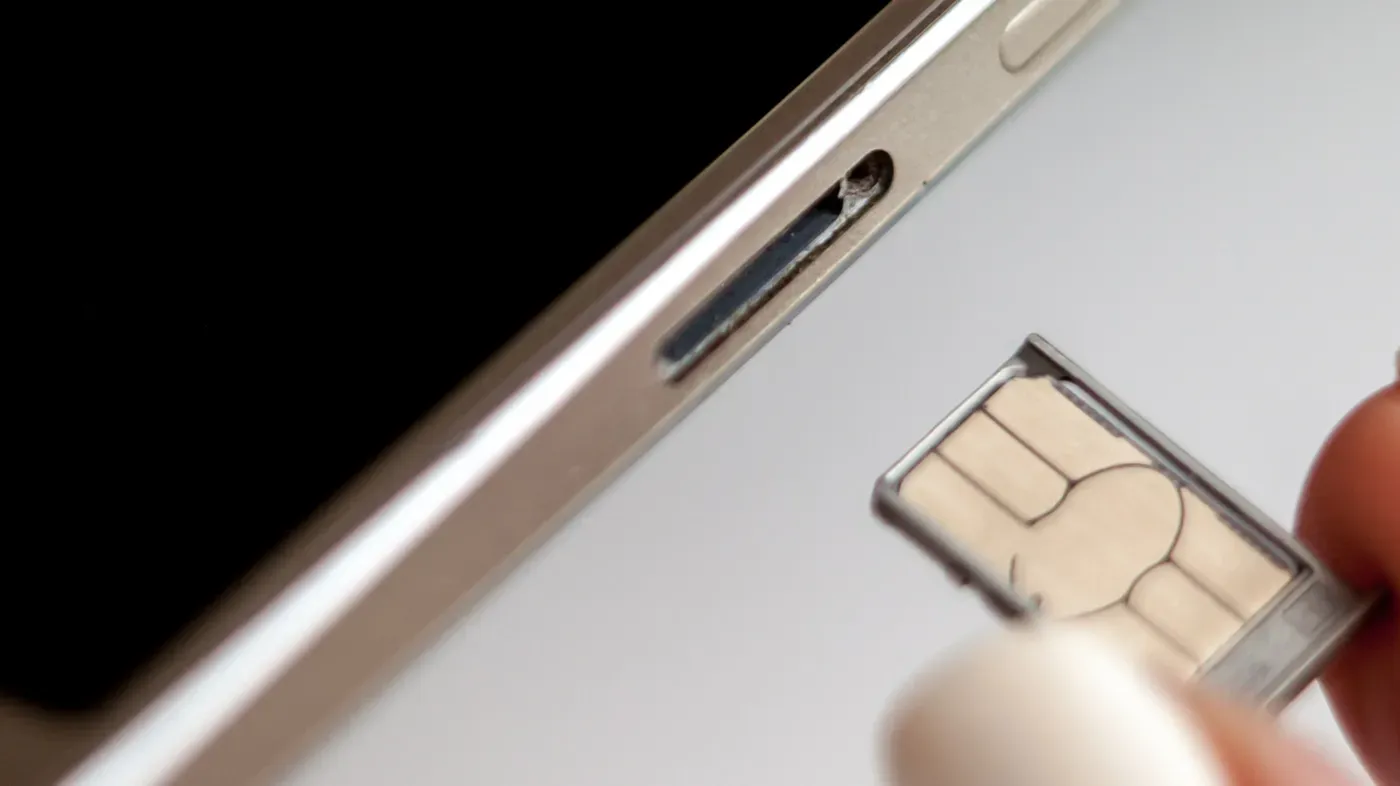
Switching to a new SIM card is often a straightforward process, but it's still worth taking a minute to ensure everything goes smoothly. This is particularly important if you're switching carriers or opting for a temporary local plan when traveling abroad.
Some users may be tempted to switch SIMs with their phone on, and many modern devices do allow this. However, there are still benefits to turning off your device before making the swap, even if it's just a minor inconvenience.
When removing physical SIM cards from your phone by hand, taking a moment to power down can help prevent any potential issues that might arise during the process. This is especially true if you're in a rush or don't have time to troubleshoot problems later on.
This cautionary approach may seem excessive for such a quick and simple task, but it's always better to err on the side of caution when dealing with technical components like SIM cards.
Before attempting to swap out a physical SIM card, ensure that you have a dual-SIM phone capable of supporting two cards, and verify which SIM you plan to replace.
One advantage of traditional SIM cards is their ease of use with pay-as-you-go accounts, allowing for straightforward installation and activation over the counter. In contrast, some argue that eSIM technology's lack of moving parts makes it superior.
Potential hazards arise when physically replacing a SIM card, primarily due to physical mishaps. Dirt or moisture can be accidentally introduced into the SIM tray, while forcing a larger card into an incorrectly sized slot can also cause issues. A damaged SIM card or incorrect insertion may lead to network connection problems, resulting in battery drain and overheating.
In most cases, exercising caution during the replacement process is sufficient to avoid these potential pitfalls. The phone typically takes a moment to recognize the new SIM and establish a connection, after which it will be ready for use once account setup requirements are met.
When switching to a new SIM card, turning off your phone might not be strictly necessary, but it does provide some benefits in terms of reducing the likelihood of encountering a network error message.
The design of modern phones has made this process easier over time, with SIM trays now located on the outside rather than beneath removable batteries. This change has reduced the need to power down devices in order to access the SIM slot, although early models using this setup still had some issues with network errors when swapping SIMs while the phone was on.
A simpler method for refreshing carrier settings is available, however, and it doesn't require powering off your device completely. By enabling airplane mode, waiting 30 seconds before swapping the SIM, and then turning airplane mode back off once the new card is inserted, users can prevent potential carrier hiccups during the process.
This approach should provide a smoother experience for those switching to a new SIM, although it's worth noting that turning off your phone does offer some benefits in terms of reducing network errors.
For Android devices that still feature a microSD card slot, the process of switching SIM cards can be slightly more complicated due to the shared tray. However, it's essential to unmount the microSD card before removing the SIM to prevent data loss.
To accomplish this on Samsung devices, users need to open the My Files app and find the SD Card, then tap the three-dot menu next to it and choose Unmount. Alternatively, they can search their device's Settings app or consult online documentation for specific instructions tailored to their model.
While switching off your phone may not be necessary when replacing the SIM, using airplane mode instead can help mitigate software-related issues. If a network error does occur after swapping the SIM, restarting your device is usually the first and most effective solution.
Facts based on reporting originally published by Engadget.
You may republish this story, in full or in part, if you credit News Central Site and link to it (licence CC BY 4.0). Photos are not included.