Portable Computing with External Graphics Cards Faces Limitations
A new trend in portable computing is emerging, where users can connect a powerful external graphics card to their laptop for improved performance.
A new trend in portable computing is emerging, where users can connect a powerful external graphics card to their laptop for improved performance.
This setup seems like a clever solution to one of the oldest problems in mobile computing: how to get desktop-class graphics on-the-go without sacrificing portability. However, there are several limitations that need to be considered before making such an investment.
One major issue is the bandwidth bottleneck caused by using Thunderbolt or USB4 cables to connect the external GPU. This can significantly reduce the performance advantage of the desktop card compared to a built-in laptop GPU with direct internal connection.
When comparing onboard and external GPUs, it's essential to note that "onboard" refers specifically to a dedicated GPU built into the laptop, not integrated graphics shared with the processor. Even when laptops and desktops share similar-sounding GPU names, their hardware can be quite different in terms of specifications and capabilities.
The NVIDIA RTX 5090 Laptop GPU boasts 10,496 CUDA cores and 24GB of GDDR7 memory, operating within a power range of 95W to 150W. In contrast, its desktop counterpart features an impressive 21,760 CUDA cores and 32GB of GDDR7 memory, showcasing a substantial gap in performance potential before even accounting for potential bottlenecks such as Thunderbolt limitations.
The limitation of external graphics processing units (eGPUs) lies in their connection to laptops via Thunderbolt or USB4, rather than a direct PCIe bus link. This indirect connection creates a bottleneck that can significantly impact performance.
Internal laptop GPUs, on the other hand, utilize an internal PCIe connection, which offers more bandwidth and flexibility. The latest Thunderbolt 5 technology boasts a base speed of 80 Gbps, but it still requires 64 Gbps of PCIe data throughput to function efficiently.
The difference between desktop and laptop graphics cards becomes apparent when considering their raw hardware capabilities. A powerful desktop card like NVIDIA's RTX 5090 has significantly more memory bandwidth and power than its laptop counterpart, the RTX 5090 Laptop GPU.
The limitations of eGPUs are further highlighted by the fact that even Thunderbolt 5's Bandwidth Boost mode doesn't provide a direct 120 Gbps PCIe connection. Intel clarifies that PCIe data throughput remains at 64 Gbps in this mode, which is still a bottleneck compared to internal laptop GPUs.
For an eGPU setup to work seamlessly, not only does the host hardware need to support it, but also the enclosure, drivers, GPU, and power requirements must all be compatible. A USB-C port alone is not enough to guarantee eGPU compatibility.
When using an external graphics processing unit (eGPU) connected via a laptop's display, performance can suffer due to the limited bandwidth required to transmit rendered frames back through the same connection.
This limitation is further exacerbated when the eGPU is connected through a USB-C port alone, which may not guarantee compatibility. It's worth noting that some manufacturers recommend connecting an external monitor directly to the eGPU for improved performance.
The inherent design of a laptop graphics processing unit (GPU) offers several advantages over its desktop counterpart. For instance, it operates within the laptop's power and cooling constraints, eliminating the need to send rendered frames back through an external cable.
In contrast, using a traditional desktop-card eGPU can introduce new variables that affect portability. The enclosure, desktop GPU, and potentially even an ATX power supply take up desk space, adding size and noise to the setup.
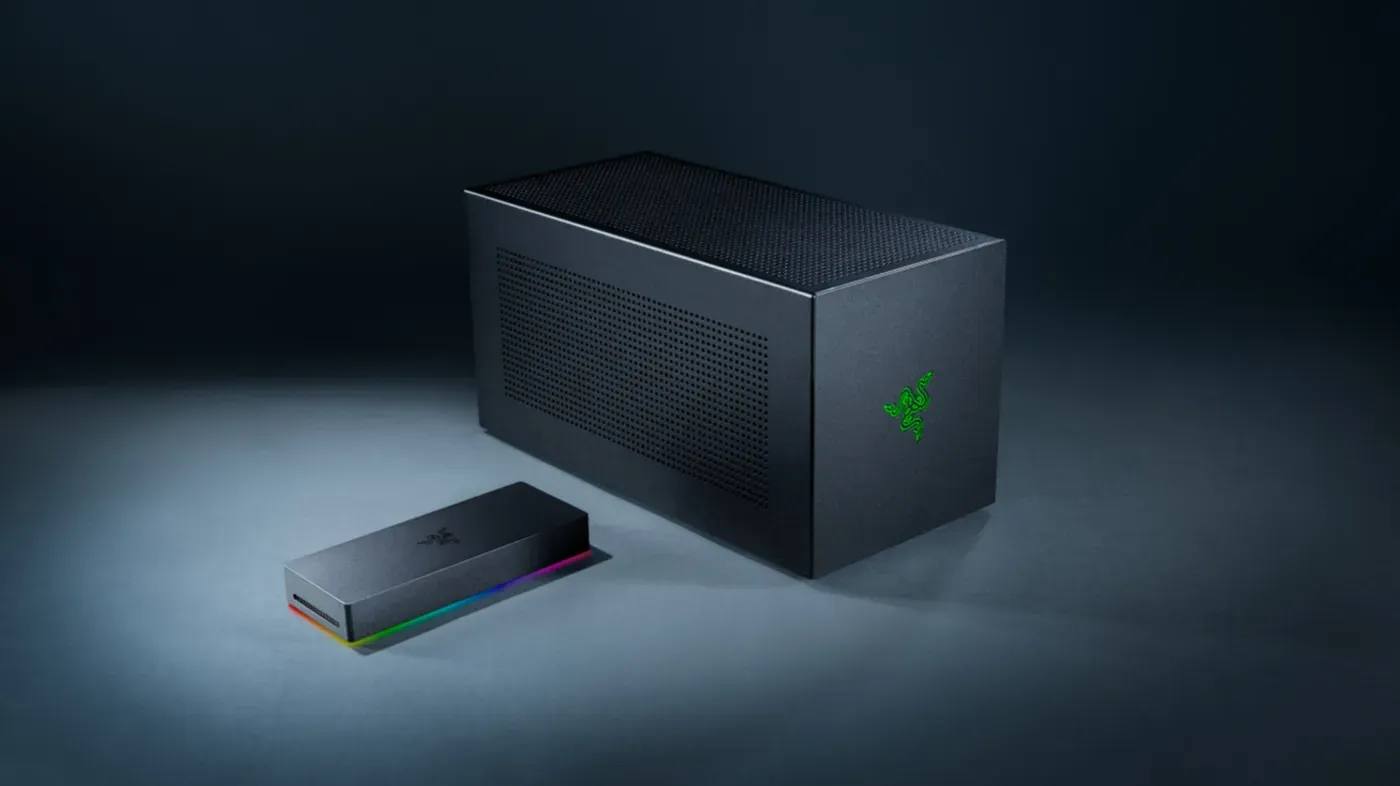
The cost of incorporating an eGPU into a laptop gaming experience is also worth considering. For example, Razer's Thunderbolt 5 Core X V2 supports full-size NVIDIA and AMD desktop cards but requires additional expenses for the GPU itself and a necessary ATX power supply.
Upgrading your laptop's graphics capabilities can be a cost-effective option if you already have a suitable GPU from a desktop upgrade. This is because the enclosure can significantly enhance your laptop's performance without the need to purchase an entirely new computer.
However, purchasing a high-end desktop card specifically for eGPU use may not be justifiable, especially when considering the cost of the power and potential limitations in cable connectivity that might restrict full utilization of the GPU's capabilities.
Facts based on reporting originally published by Engadget.
You may republish this story, in full or in part, if you credit News Central Site and link to it (licence CC BY 4.0). Photos are not included.