CMOS Battery Replacement Recommended for Desktop Computers
When a computer's CMOS battery dies, users may not initially notice any issues, but problems will arise when the machine is turned on again. This small, often-overlooked component plays a...
When a computer's CMOS battery dies, users may not initially notice any issues, but problems will arise when the machine is turned on again. This small, often-overlooked component plays a crucial role in powering the real-time clock and preserving hardware settings.
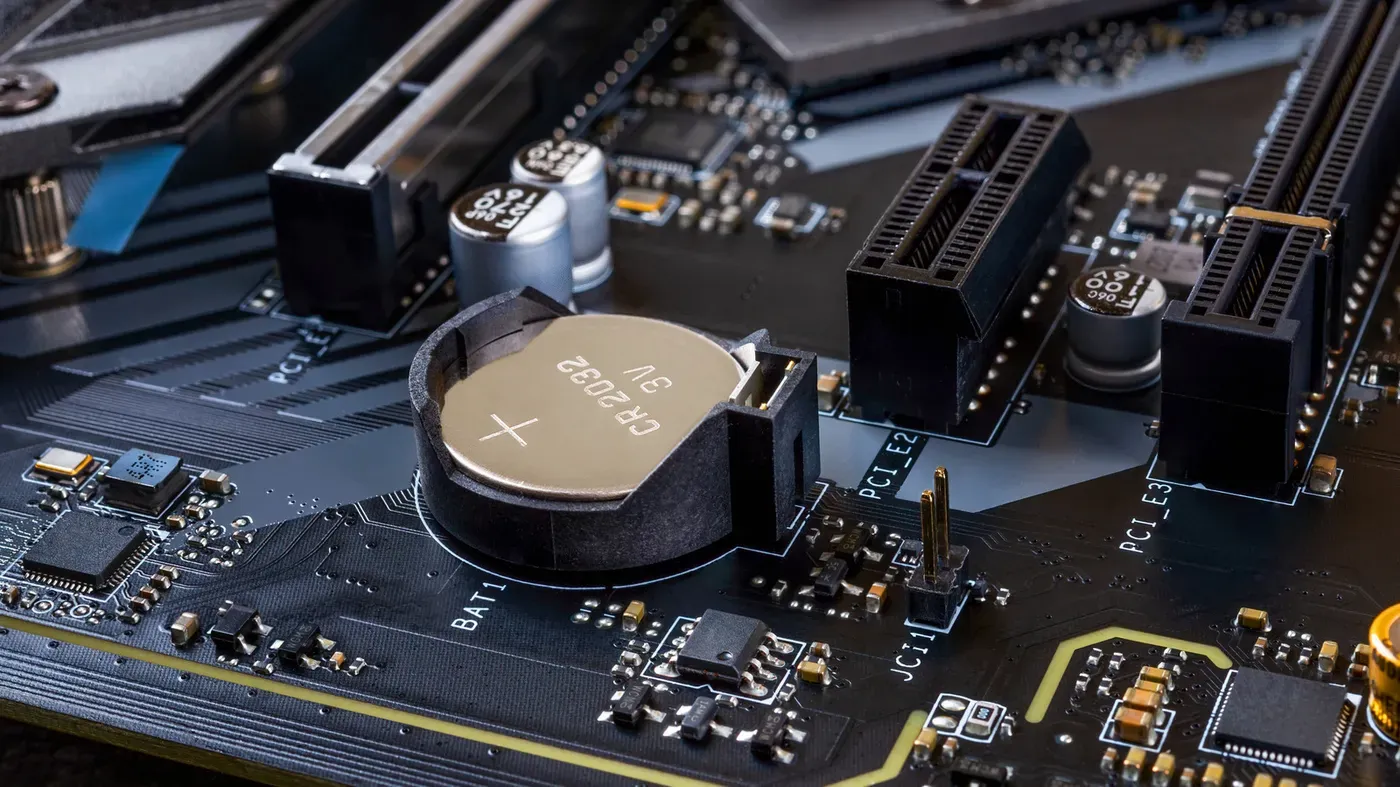
The CMOS battery, typically found on a desktop computer's motherboard, is usually a disc-shaped coin cell that was installed at the factory. Its primary function is to provide power to the motherboard's components when the machine is powered down, ensuring that the date and time remain accurate even without an external power source.
Like any battery, the CMOS has a limited lifespan and will eventually need replacement. Fortunately, this process is relatively straightforward and inexpensive. In many cases, users can go for several years without needing to replace the battery, as it only drains when the computer is unplugged from power.
The CMOS battery acts as a backup power supply for the motherboard's components, including the real-time clock and memory chip that stores boot-related BIOS or UEFI settings. This small cell powers these essential functions, allowing the computer to maintain its basic settings even without an external power source.
Most desktop computers use a standard CR2032 coin cell, which is also found in devices like Apple's AirTags. Some systems may employ a CR2025 coin battery instead, but this is less common. As the CMOS battery only needs to power a few critical components, it can last for several years or even up to a decade before requiring replacement.
A failing CMOS battery can cause issues with date and time tracking on your computer, particularly after it has been unplugged from the power source. Your PC may reset to a default date every time you boot up, which can be identified by incorrect "last updated" dates on files.
This problem is more noticeable in older operating systems that don't fetch the correct date and time from an online server upon boot. However, many modern operating systems have this feature built-in, so a failing CMOS battery may not cause any immediate issues until it's completely dead.
When the battery dies, your computer's BIOS or UEFI will display a warning message on boot, and revert to its factory settings every time you start up. This means that system-level options like the boot order and fan configurations are reset to their default settings each time.
While this doesn't affect your apps or files, it can be frustrating to have to reset these settings repeatedly. Fortunately, replacing the CMOS battery is a relatively inexpensive and straightforward process.
Using sleep mode instead of rebooting your computer can help preserve your motherboard's settings between sessions when the battery is dead. Avoid unplugging your computer from the power source while in sleep mode to prevent data loss or corruption.
The likelihood of encountering issues related to a dead CMOS battery is higher on desktop PCs than laptops, as many modern laptops rely on their main battery for internal clock maintenance and often lack easily replaceable components.
Most computer cases are designed to be toolless, making it unnecessary to use a screwdriver to access the motherboard. However, having a flathead screwdriver on hand can be helpful when removing the existing coin cell battery from the motherboard, as it allows for easier prying of the battery.
To identify which type of battery is required, users should power off their PC and remove the side panel from the computer case. The CMOS battery can usually be found on the motherboard, where it will appear as a small silver-colored coin-shaped cell. In cases where bulky hardware such as graphics cards obstruct access to the battery, these components may need to be temporarily removed.
The CMOS battery is typically secured in place by a clip or latch that can be released using a flathead screwdriver or another flat object. Once the existing battery has been dislodged, it should be replaced with a new coin cell battery of the same type and size.
It's worth noting that users with mini PCs or non-standard motherboards may need to consult their computer's manual for specific instructions on replacing the CMOS battery, as these devices can have unique design requirements.
After replacing the CMOS battery, it is essential to revisit your computer's BIOS or UEFI settings to restore previously customized options. One crucial adjustment for gamers and heavy software users involves re-enabling Intel XMP or AMD EXPO to ensure optimal RAM performance.
Upon entering the BIOS or UEFI settings, consider tweaking motherboard features such as CPU overclocking to maximize system performance. However, be aware that increased processing power comes at a cost, including higher energy consumption and potential heat issues.
Facts based on reporting originally published by Engadget.
You may republish this story, in full or in part, if you credit News Central Site and link to it (licence CC BY 4.0). Photos are not included.