Apple Unveils HomeView Smart Display for Seamless Home Automation
Apple's new HomeView smart display is designed as an intelligent personal hub that stays inside your home and provides a personalized experience without requiring separate software downloads.
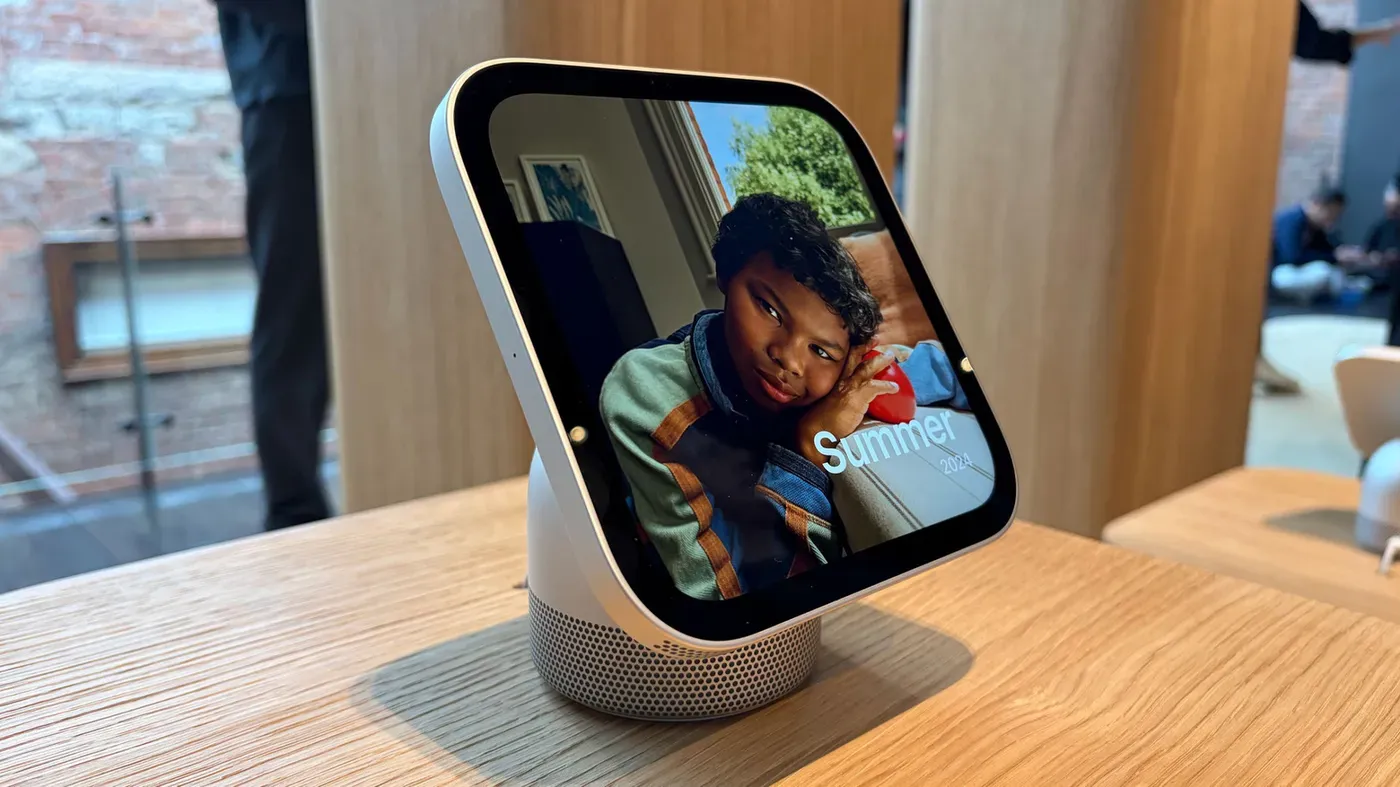
Apple's new HomeView smart display is a game-changer for home automation, but it's not surprising given its reliance on the iPhone to function seamlessly. The device is designed to be an "intelligent personal hub" that stays inside your home, and Apple CEO John Ternus has emphasized the importance of convenience and personalization without compromising on user privacy.
The HomeView is essentially a multi-functional device that combines several features into one, making it a crucial addition to any smart home setup. It's not just a visual interface or a smart speaker, but also a hub for connected devices, a kitchen companion, and even a digital photo frame - all thanks to its ability to mirror the apps on your iPhone or iPad.
The HomeView's system is surprisingly similar to CarPlay, which allows drivers to access compatible apps on their car's infotainment screen. Similarly, the HomeView displays the compatible apps you've already installed on your phone or tablet, as well as Apple's core suite of apps, including Calendar, Messages, Reminders, and Weather.
One of the key benefits of the HomeView is its ability to provide a personalized experience without requiring users to download separate software. This approach prioritizes convenience and ease of use, making it an attractive option for those looking to simplify their home automation setup.
As Apple's new smart display starts to roll out, it's clear that the company has put a lot of thought into designing a device that works seamlessly with the iPhone. By leveraging the power of your phone or tablet, the HomeView is able to offer a range of features and functions without sacrificing user control or autonomy.
While the HomeView may not run standalone apps like other smart displays on the market, its ability to mirror compatible apps from your iPhone or iPad makes it an incredibly versatile device. This innovative approach could just be what sets Apple's new smart display apart from the competition.
The HomeView smart display requires a nearby iPhone or iPad to function effectively.
According to Cecilia Dantas, an Apple Home product marketing team member, the company designs home products with three key principles in mind: intelligence, personalization, and privacy.
To ensure Siri's conversational abilities are not compromised by restricted access to user data, Apple needed a secure way to grant it permission to retrieve relevant information from apps on your iPhone or iPad.
The proximity requirement helps safeguard your sensitive data when you're away from home, preventing unauthorized access to your private communications and calendar events.
As Matthew Costello, VP of hardware engineering, explained, the HomeView is designed to provide a seamless experience by leveraging familiar phone features in a discreet, glanceable format.
The HomeView's design is centered around providing users with their personal information in a convenient and discreet manner. This is achieved by leveraging the iPhone's role as a user's hub for their personal content, which makes it logical to extend and link that intelligence into products like the HomeView.
To ensure security, if the HomeView doesn't recognize a user, they can only perform basic tasks on the device. However, even when a recognized user is interacting with the HomeView, they will still need to have their recently unlocked iPhone or iPad nearby for certain features to be accessible.
Personal information only surfaces on the HomeView once the user has been recognized by facial recognition and their paired iPhone is present and recently unlocked. This approach allows for a balance between providing contextual information and maintaining user privacy.
The decision to tie what appears on the HomeView to the user's phone means that data is displayed while interacting with the device and disappears when interaction ceases. This approach also ensures that no personal data is stored or posted on the device itself.
One of the benefits of relying heavily on an iPhone or iPad is the ability to hand off tasks, such as music playback or FaceTime calls, from one device to another. The HomeView also integrates with Safari to provide recipe suggestions while cooking, which can be initiated by hand-off action.
The seamless integration between devices doesn't come at the cost of user experience, according to Apple's perspective. In fact, relying on a paired iPhone or iPad is seen as an enhancement rather than a limitation.
The design of Apple's HomeView device has sparked curiosity among users, particularly its reliance on an iPhone or iPad for functionality.
A key aspect of the HomeView's design is its touchscreen interface, which may seem counterintuitive given its square shape and speaker capabilities. However, this intentional design choice reflects a broader strategy to prioritize voice interaction over physical controls.
According to Apple engineers, touch input was always envisioned as secondary to voice commands, with the device intended for users who prefer hands-free control.
The absence of buttons on the HomeView is a deliberate design decision, aimed at streamlining the user experience and reducing clutter. This approach builds upon Apple's existing home products and services, which have been refined over time to provide a seamless integration with other devices.
By striking a balance between innovation and restraint, the engineering team behind the HomeView has created a device that offers both power and simplicity, ultimately delivering an immersive experience for users.
Facts based on reporting originally published by Engadget.
You may republish this story, in full or in part, if you credit News Central Site and link to it (licence CC BY 4.0). Photos are not included.