Android Users Gain New Tool to Unlock Device Potential
A new tool called Essentials has emerged to cater to Android power users, offering over 30 features to enhance various aspects of the Android experience.
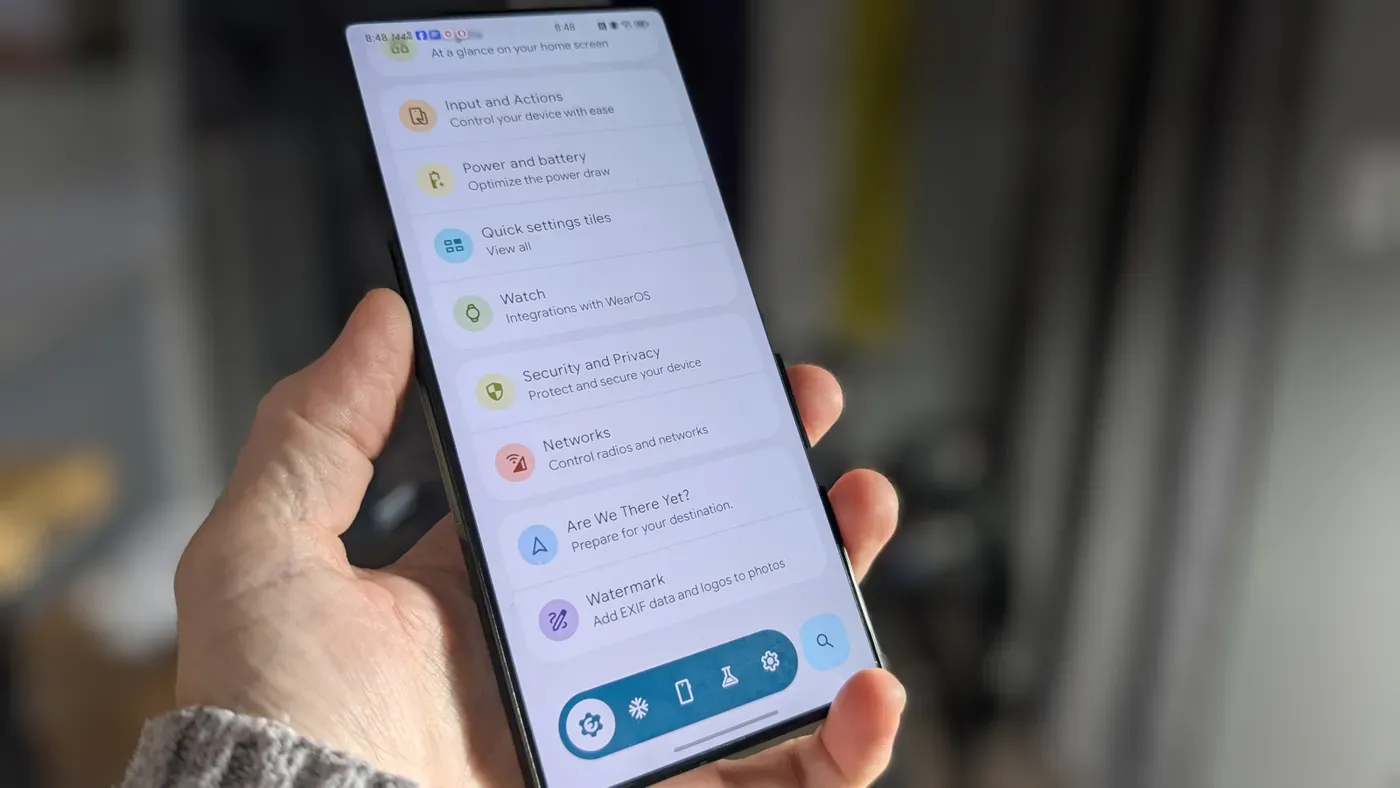
Android users are familiar with the Settings app, which supposedly provides all the necessary features for managing their device. However, some power users may find that the Developer Options feature is still not enough to unlock their full potential.
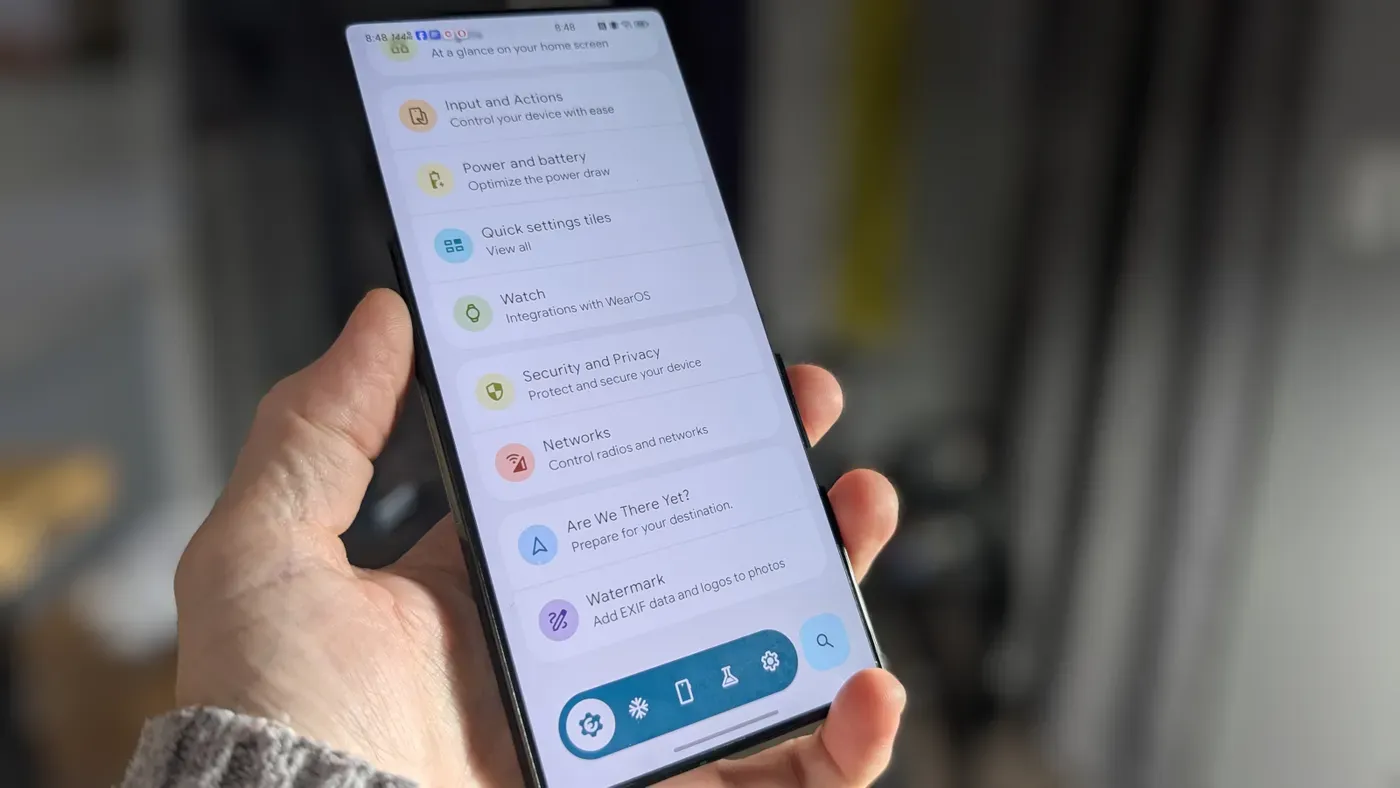
A new tool has emerged to cater to these enthusiasts: Essentials, a comprehensive collection of mods and tweaks that go beyond what's available in the Settings app. This toolbox includes over 30 features designed to enhance various aspects of the Android experience, such as button remapping, app freezing, and Google Maps battery-saving modes.
To access most Essentials features, users need only have Android 8 or newer installed on their device. A few advanced features do require additional setup, including shell providers like Shizuku or root access, but these are not necessary for the majority of the available options.
Essentials is not available through the Google Play Store; instead, it must be sideloaded from its official GitHub Repository in APK format. Users should note that Google has revised its app sideloading process recently, so it's essential to understand how to do this correctly before proceeding.
Before installing Essentials, users will need to adjust their permissions settings, depending on the specific feature they wish to use. For example, changing lock screen shortcuts requires enabling Accessibility Services.
To access advanced settings in Android, users must first allow restricted settings through the app menu. This involves navigating to Settings > Apps > See all X apps > Essentials and tapping the three-dot menu to select "Allow restricted settings".
Without this permission, the Essentials app is limited by Android's permissions system, preventing it from functioning at its full potential.
Using the Essentials app is relatively straightforward: users simply search for a feature they want to enable and toggle it on. However, enabling features often requires granting additional permissions, which can be time-consuming but offers significant benefits.
One of the most useful features in Essentials is App Lock, which allows users to require authentication for specific apps. This can be particularly helpful if someone gains access to an unlocked phone and attempts to open sensitive apps like banking or financial services.
Enabling App Lock requires navigating to the Security and Privacy section within Essentials, where a toggle switch can be flipped on to activate the feature. Upon activation, users are prompted to grant necessary permissions through Accessibility, which involves granting access to the Essentials app.
To use App Lock effectively, users must authenticate with their chosen method, fingerprint, face, or password/PIN, after enabling the feature. This is a crucial step to ensure that sensitive apps are protected from unauthorized access.
Once authenticated, users can proceed to select locked apps by tapping on the "Select locked apps" option. Here, they can choose which apps require authentication before opening, such as banking and financial services apps or messaging apps.
App Lock allows users to safeguard specific apps from being opened without their knowledge, providing an additional layer of security for sensitive data. By selecting particular apps for lock-down, users can rest assured that their most critical information remains protected.
In addition to App Lock, another useful feature is located within Notifications and Alerts, where users can activate notification lighting, flashlight pulses, and snooze notifications. This allows users to customize their notification settings, including choosing which apps trigger these features.
To access the full range of features offered by Essentials, users must be prepared for a series of permission requests that may be intrusive. Some permissions are contingent upon having root access or using Shizuku, an open-source Android tool that grants system-level APIs and ADB privileges to third-party apps without requiring a full device root.
Shizuku itself requires wireless debugging to be enabled in order to function properly. Once installed from the Play Store, users can find detailed instructions on how to set up wireless debugging, which is necessary for Shizuku's service to begin.
Facts based on reporting originally published by ZDNet.
You may republish this story, in full or in part, if you credit News Central Site and link to it (licence CC BY 4.0). Photos are not included.