Android Users Can Unlock More Functionality with Developer Options
Android users familiar with the Settings app know that it provides a wide range of features and options. However, there's a hidden feature called Developer Options that can be enabled to...
Android users familiar with the Settings app know that it provides a wide range of features and options. However, there's a hidden feature called Developer Options that can be enabled to offer even more functionality.
This Developer Options feature is often overlooked by casual Android users but can be extremely useful for those who want to fine-tune their device settings. But what if you're looking for something more comprehensive?
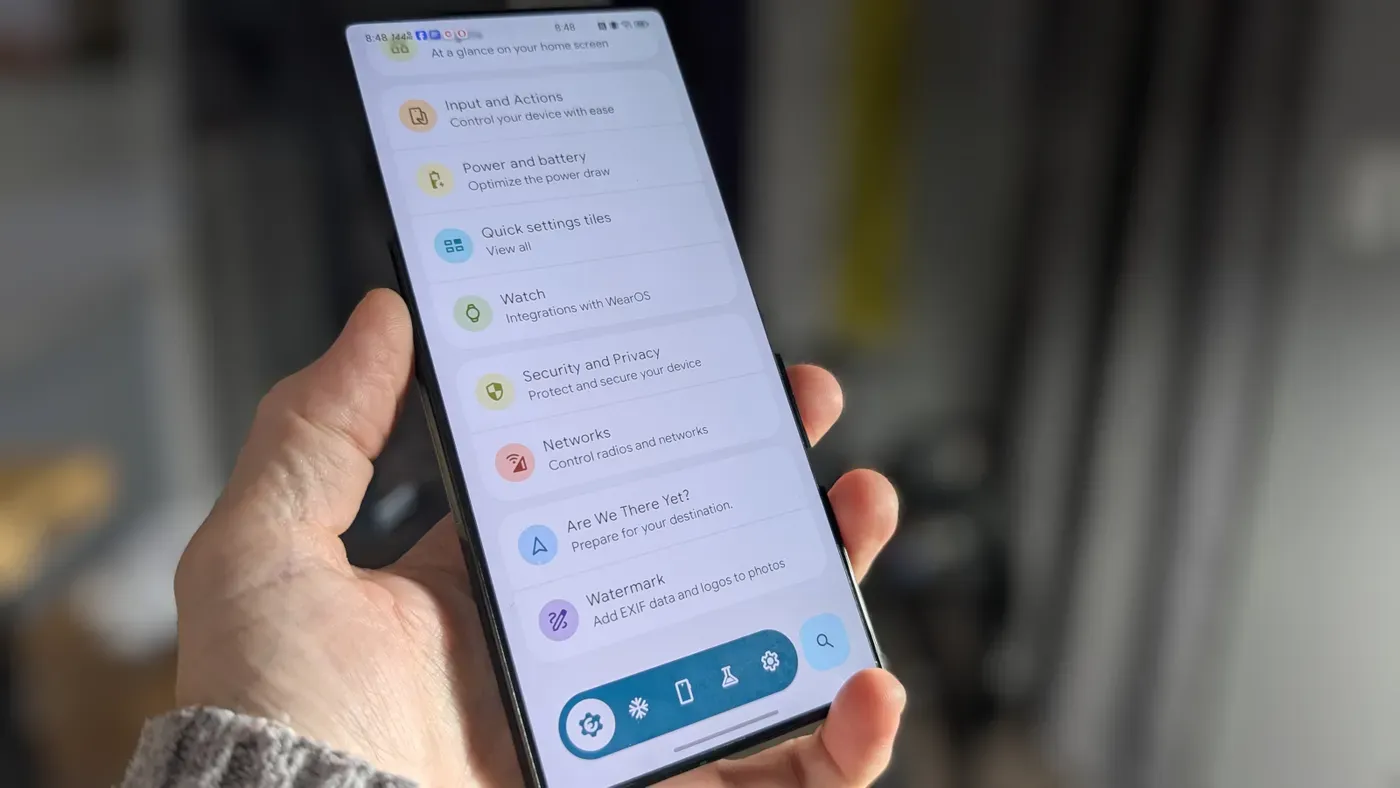
Enter Essentials, an app that serves as a power-user's toolbox with over 30 mods and tweaks. These features range from simple ones like button remapping and wallpaper customization to more complex options such as notification management and Always-On Display.
To use Essentials, your Android device must be running version 8 or newer. Some advanced features may require additional tools or root access, but the majority of users will find that they can enable most features without any extra requirements.
Essentials is not available on the Google Play Store; instead, it can be downloaded from its official GitHub Repository in APK format.
To unlock all of Essentials' features, a crucial step is enabling restricted settings within the app itself. This involves navigating to Settings > Apps > See all X apps > Essentials and tapping the three-dot menu to access additional options.
Upon accessing the restricted settings page, tap "Allow restricted settings" to grant permission for full functionality. Without this feature enabled, Essentials' capabilities will be severely limited by Android's permissions system.
The user interface of Essentials is straightforward: users can search for specific features and toggle them on or off with ease. However, enabling certain features requires granting numerous permissions to the app, which may seem like a chore but ultimately yields significant benefits.
One notable feature within Essentials is App Lock, allowing users to require authentication before accessing specific apps. This functionality is particularly useful when handling sensitive information, such as banking details, and can be enabled by granting Essentials permission for Accessibility features.
Enabling App Lock in Android devices requires navigating to Essentials > Security and Privacy, where the feature can be toggled on by clicking the On/Off slider.
Granting necessary permission for Accessibility features is then required, prompting a request to authenticate with fingerprint, face, or password/PIN.
Once authenticated, users can select locked apps from the next page by tapping "Select locked apps" and choosing which applications require authentication before opening.
Apps such as 2FA tools, banking apps, and messaging services are ideal candidates for locking, ensuring sensitive information remains protected.
For instance, Authy, bank apps, and Messages can be set to require authentication each time they're opened.
Essentials offers a wide range of features that can be accessed through its user-friendly interface, providing users with more control over their Android devices than what's available in standard Settings menus.
To unlock these features, users will need to grant numerous permissions, some of which may require root access or the use of Shizuku, an open-source tool that grants third-party apps system-level privileges without fully rooting a device. Additionally, enabling wireless debugging is necessary for Shizuku to function properly.
For those willing to invest time and effort into customizing their Android experience, Essentials offers unparalleled control and flexibility, making it an indispensable tool for power users looking to get the most out of their devices.
Facts based on reporting originally published by ZDNet.
You may republish this story, in full or in part, if you credit News Central Site and link to it (licence CC BY 4.0). Photos are not included.